HTML files open in web browsers and need no other software to open them. Sometimes users want to share calendar data in HTML format for easy access. Are you also looking to convert ICS file to HTML format? If yes, then you landed on the right page. In this blog, we have written an automated method on how to View ICS files as HTML or in a Web Browser.
Overview
An ICS (iCalendar) file is a file format that is supported by many email clients like Microsoft Outlook, Apple Mail, and Google Calendar.
HTML is also known as Hypertext Markup Language. It contains the code written in a text file that opens in web browsers. The code written in a text file is used to make a web page that contains images, text, and paragraphs for displaying information.
Reasons to convert ICS files to HTML format
- HTML files open in web browsers like Google Chrome, Microsoft Edge, and Mozilla Firefox. Hence, it removes the need for an extra application to open ICS files.
- HTML formatting improves the readability experience, making it user-friendly as compared to raw ICS data.
- The HTML file includes CSS styling, making it more attractive.
Also Read:- How to Convert ICS File to PDF Format?
An automated solution to convert an ICS file to HTML format
With eSoftTools ICS Converter software, you can easily convert ICS files to CSV format. Moreover, this tool can convert ICS files to different file formats like PST, MSG, EML, HTML, NSF(Lotus Notes), MHTML, CSV(Excel File), PDF, etc. Additionally, you can preview calendar items in the ICS file in the preview panel before conversion.
Key features
- View ICS files in HTML or a web browser in a few easy steps.
- Import the ICS file into the software in two different modes: “Folder mode” & “File mode”.
- Preview calendar items of the ICS file in the preview panel inside the software.
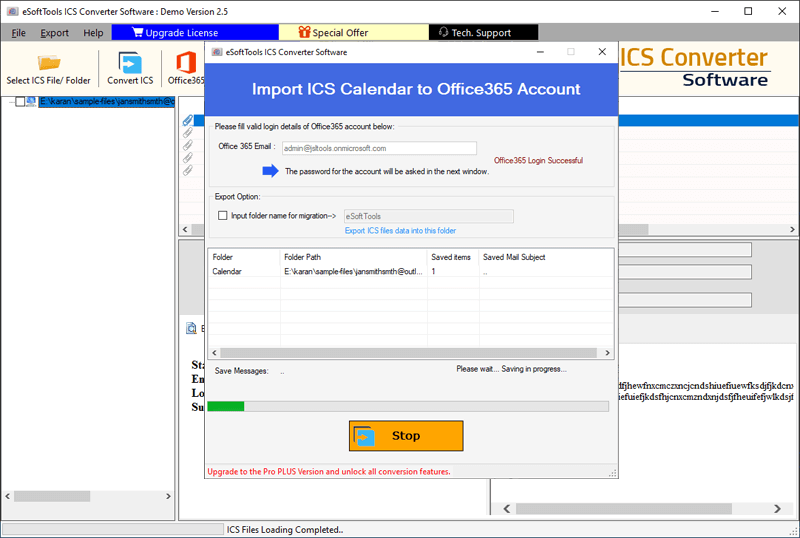
- Directly migrate data from ICS files containing calendar data items to an Office 365 account.
- Save the converted file at your desired location on your system.
- Have a user-friendly graphical interface that technical and non-technical people can use easily.
- Consistent with all editions of the Windows operating system, like Windows 11, 10, 8.1, 8, 7 & below editions.
Step-by-step solution to convert ICS file to HTML
Download and launch the eSoftTools ICS File Converter software on your system.

Click on Select ICS File/Folder on the menu bar and select any one of the file adding modes- “File mode” or “Folder mode”.

Press the Next button and preview the ICS files and folders in the preview panel.

Select the needed ICS files and folders, and press the Convert ICS button on the menu bar.

Next, select option Export in HTML option from the drop-down menu.
Select the other required settings and browse the saving location to save the converted file on your PC.

Click the Convert button and start the ICS to HTML conversion.
Conclusion
In this blog, we have explained the reasons and an automated method to View ICS files as HTML or in a Web Browser. This tool can easily convert ICS file to HTML format and is used by many working professionals. There are manual methods also available, but they have limitations.


No Comments yet!