Emails and attachments are important for users. However, users are stuck at the point where they want to extract attachments from emails in a PST file without effecting the email data. In this blog we have described the automated method to extract attachments from PST files without Outlook.
Overview
Attachments can be in any form they can be documents, images, pdf, audio and things that can be attached with emails. Sometimes users want to extract attachments that is important for them in a separate file. The same is the PST files where user want to extract attachments from it in a separate file containing bulk emails.
The manual method is also available but it is not suitable for extracting attachments in bulk. Now the question arises How to extract attachments from PST files without Outlook at once.
This blog describes the best automated method available in today’s IT market to extract attachments from PST files without Outlook.
Best automated method to extract attachments from PST files without Outlook
The best automated method to extract attachments from PST files without Outlook is eSoftTools Outlook Attachment Extractor Software. This tool extracts attachments from the PST file in a separate folder. This is the advanced software that you can extract attachments with a few clicks.
Also Read:- How to open Outlook PST files without Outlook?
Key features
- Extract all types of attachments from the OST, PST & NST file.
- Live preview of emails, contacts, calendars, tasks, notes, etc of the Outlook files in the preview panel.
- Easily extract & save all types of attachments including- doc, zip, images, video, xlsx, etc.
- Allows you to extract attachments from selective Outlook files.
- You can extract attachments from single or multiple Outlook files at a time.
- Allows multiple options for the additions of the Outlook files-single, multiple and search automatically from your system.
- Provides the feature of email filtering by which you can filter emails according to Date Range( From and To).
- Enables to add Outlook files of unlimited file size.
- Compatible to add files of all Outlook editions from Outlook 2021 to the below versions.
- Comfortable to run on any edition of the Windows operating system from Windows 11 to the below versions.
Steps to extract attachments from an OST file
- Download, install and load eSoftTools Outlook attachment extractor software in your system.
- Click on the Select PST button and choose from the options to add files in the software- single or Bulk file selection mode.
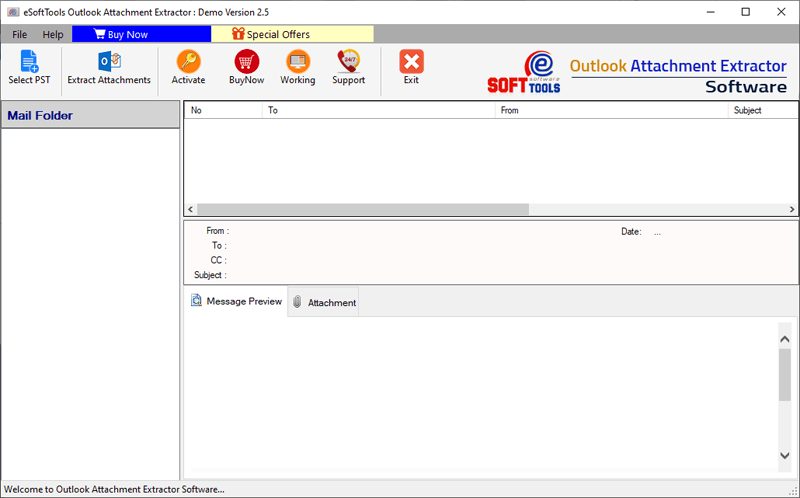
- Add PST/OST/NST files in the software and start the scanning process to add files/folders to the software.

- Preview the files/folders in the preview panel and select the files/folders from which attachments are to be extracted.
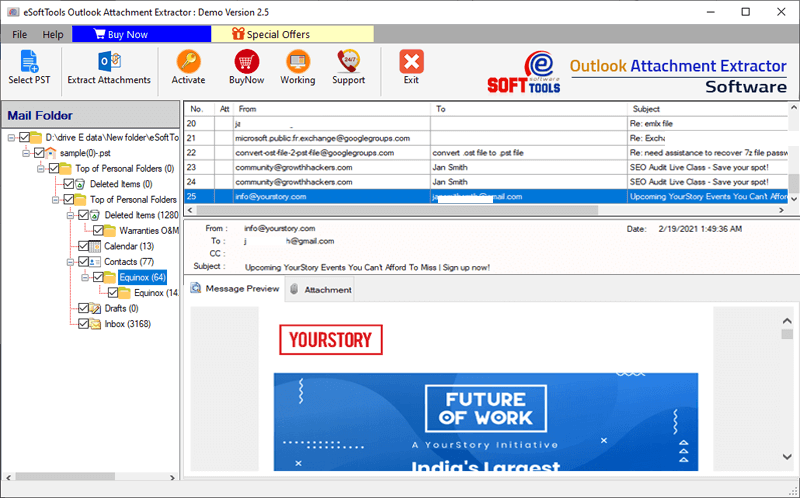
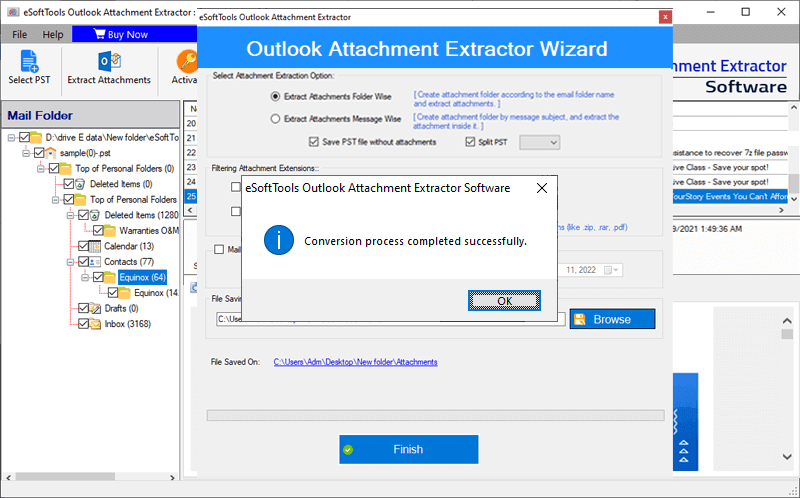
- Click on the Extract Attachment button from the above menu and choose from the option- Extract Attachments folder-wise or Extract Attachments message-wise.

- Select and apply other options if required such as filter attachments extension, mail filter and saving location.

- At last press the Save button and start extracting attachments from the Outlook files.
Conclusion
This blog describes the extraction of attachments from the PST files. A manual method is also available but you can extract attachment from a single email at a time and from the automated method you can extract attachment in bulk. This is the most powerful and reliable software in email recovery and management.


No Comments yet!